To buy a software licence with a GST invoice, tick the business purchase box at checkout and enter your business name and 15-character GSTIN. On rapdesk.com, prices are shown before GST, the tax is added on the invoice, and that invoice is emailed with every order and kept in your account. Check seats, term and refund rules before you pay.
What should a business check before paying for a software key?
Four things, in this order. Who issues the invoice. How many computers one key covers. What happens when the term ends. What happens if the software does not suit you.
It is easy to check only the price. But a key for one computer, bought for an office with three, means a second order and a second invoice. And a "no refunds" line you skipped still applies.
Below is how each works on rapdesk.com, read from our checkout and terms on 23 November 2026.
How does the GST invoice work on rapdesk.com?
The Terms of Sale put it plainly: prices are in Indian rupees and shown before GST, which is added on the invoice. A GST invoice is emailed with every order.
The checkout has three steps: Account, Details, Pay. You sign in with a one-time code to your email or mobile number first. On the Details step there is a checkbox labelled Business purchase: put my GSTIN on the invoice. Tick it and two fields appear, Business name and GSTIN.
The form checks the GSTIN before it lets you continue: 15 characters in the GST format, a valid state code and a correct check digit at the end. A one-character typo usually fails that last test, so you find out before the invoice is raised.
After you pay, the licence key is issued and shows in your account at rapdesk.com/account, next to the invoice. Under Billing details you can store the name, GSTIN and address for future invoices. That screen says it directly: "Add a GSTIN to claim input tax credit." Whether your business can claim the credit on a given purchase is a question for your CA, but without your GSTIN on the invoice there is nothing for them to work with.
The seller named on the invoice is the company that owns RapDesk. Its legal name and GSTIN are printed at the end of the Terms of Sale page.
One case is different. If you buy through an authorised RapDesk reseller, the reseller bills you and the invoice comes from the reseller.
What rate of GST is added?
Every RapDesk price row in the catalogue carries a tax rate of 18% on a price before tax. The pricing page shows "+ GST" beside each price, and the Buy dialog repeats that prices are before GST, which is added on the invoice.
Buyers outside India see US dollar prices with "no Indian GST".
GST rates are set by CBIC notifications, and your CA will match the invoice to them. We state only what our checkout charges.
What does one key cover?
One seat is one tool on one computer. That rule shows up in the pricing page FAQ, the Terms of Sale and the licence help page.
So a RapDesk Chat key will not open RapDesk Mail, and three computers need three seats. You choose the number of computers in the Buy dialog, and the per-computer price drops at 3 and again at 6 computers.
Packs bundle tools. When you buy a pack, you get one licence key for each tool in it. The live packs today are the Outreach pack (Chat, SMS, Mail), the Social pack (Social, Reels, Network) and All 8 tools.
Book a free live demo if you want us to show you which pack matches the work your team does.
Worked example: an agency buys the Social pack for 3 computers
Say a small digital agency in Indore runs client Instagram, Facebook and LinkedIn work from three desks. The Social pack covers exactly those three tools. These are the live catalogue rows on 23 November 2026, per computer, before GST:
| Term | 1 computer | 3 to 5 computers | 6 or more |
|---|---|---|---|
| 1 year | ₹9,099 | ₹8,099 | ₹7,199 |
| 2 years | ₹15,399 | ₹13,899 | ₹12,299 |
| 3 years | ₹20,399 | ₹18,399 | ₹16,299 |
For one year on three computers:
- Price: 3 × ₹8,099 = ₹24,297
- GST at 18%: ₹24,297 × 0.18 = ₹4,373.46
- Invoice total: ₹28,670.46
Bought one by one, the same three tools at the 3-computer rate cost ₹3,399 each per computer, so ₹10,197 per computer and ₹30,591 for three. The pack saves ₹6,294 before tax, about 20%, which is the "Save 20%" the pricing page shows.
What about a 3-year key? Three computers at ₹18,399 is ₹55,197, plus ₹9,935.46 GST, so ₹65,132.46. Three separate 1-year orders at today's price would be ₹72,891 before tax. The longer key costs more today and less over the three years.
Our view: an agency that is still testing which clients stay should buy one year. Once the desks and the work are settled, the 3-year key is the cheaper habit, and it means one invoice for your books instead of three.
How do renewals work?
Nothing renews or charges you automatically. Before the period ends we remind you by email. In your account, each key card shows "Valid until" with the date and a Renew button. Renew prepares a fresh invoice and takes you to the payment page, so you get a new GST invoice for the new term.
If you do not renew, the tool stops at the end of the term. Your data stays on your computer, because RapDesk tools keep contacts, campaigns and reports in a data folder there.
Partner coupons apply to a first purchase only. Reseller customers can also renew directly with us at the list price at any time.
Can you get a refund?
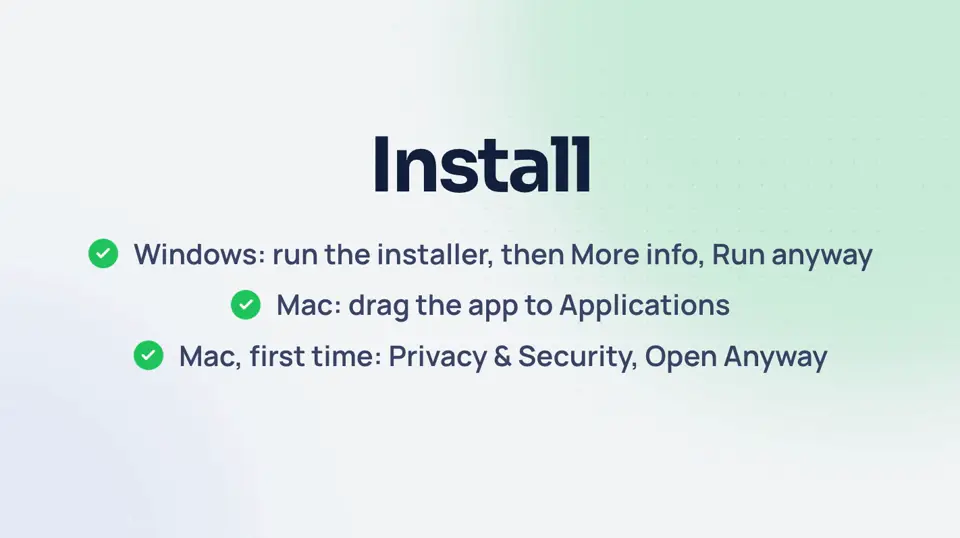
No. All sales are final, and a licence is not refunded after payment, whether or not the key was activated, except where the law requires it. The answer to that is the free download. Every tool can be downloaded and installed without paying. A key is needed only to run it. So install it, check it opens on the computer you plan to use, and read the system requirements on the tool's page.
Two narrow cases are refunded. If you were charged twice for one order, or charged an amount that does not match your invoice, write to support@rapdesk.com within 30 days with the payment reference. We check it within 7 working days and refund the extra amount to the way you paid, with a credit note.
If a tool does not work after you buy, the Refund Policy says to write from the email you bought with, quoting the invoice number. We answer within 2 working days and help you get it running.
What happens when you change computers?
You move the key. Open the tool on the old computer and choose Move licence to another computer. Back up your data from the app and copy it across, then activate the same key on the new one. The full steps are on the licence help page.
If the old computer is lost or broken, email us your key and we release it. In your account there is also a Move to another computer button on each key, which asks you briefly why, for example "new computer".
Two smaller rules from the licence help page. The licence is checked when the tool starts and stays valid for 24 hours offline. Changing a PC's main hardware may ask you to activate again.
What we would do before paying
- Download the tool from the download page and open it on the actual computer.
- Count the computers, not the people. Two staff sharing one PC need one seat.
- Decide the term. One year while you test, three once you are sure.
- Keep your GSTIN and the exact business name from your GST certificate ready.
- Read the Terms of Sale and the refund policy. They are short.
Still choosing tools? Our tool picker asks what you do every day and points to the right tool or pack. If you are weighing a yearly key against a monthly online service, the cost difference is laid out in moving from cloud subscriptions to desktop software. When you are ready, see every price and pack on the pricing page.
FAQ
Can I add my GSTIN after I have paid? You can save a GSTIN under Billing details in your account, and it is printed on your next invoices. Enter it at checkout if you want it on this one.
Does one invoice cover a whole pack? Yes, one order raises one invoice. You still get one licence key for each tool in the pack.
Do I pay GST on a renewal? Yes. Renew raises a new invoice, and RapDesk prices are always before GST, so the tax is added again for the new term.
Can I pay by UPI or bank transfer? The payment page can show a "Pay by UPI" QR and a "Pay by bank transfer" box. If you paid that way, the "Tell us you paid" form takes the transaction reference (UTR), and our team matches it against the bank before the key is issued.
Sources
- RapDesk pricing, packs, terms and seat tiers: rapdesk.com/pricing, live catalogue read 23 Nov 2026
- GST invoice, renewals, resellers: Terms of Sale
- Refunds and billing errors: Refund Policy
- One computer per seat: EULA
- Moving a key: licence help
Reviewed by Punit Chaudhary, 25 Nov 2026.
How this was made: drafted with AI tools, checked against our product and pricing on 23 Nov 2026, and edited by the RapDesk team.